Circle
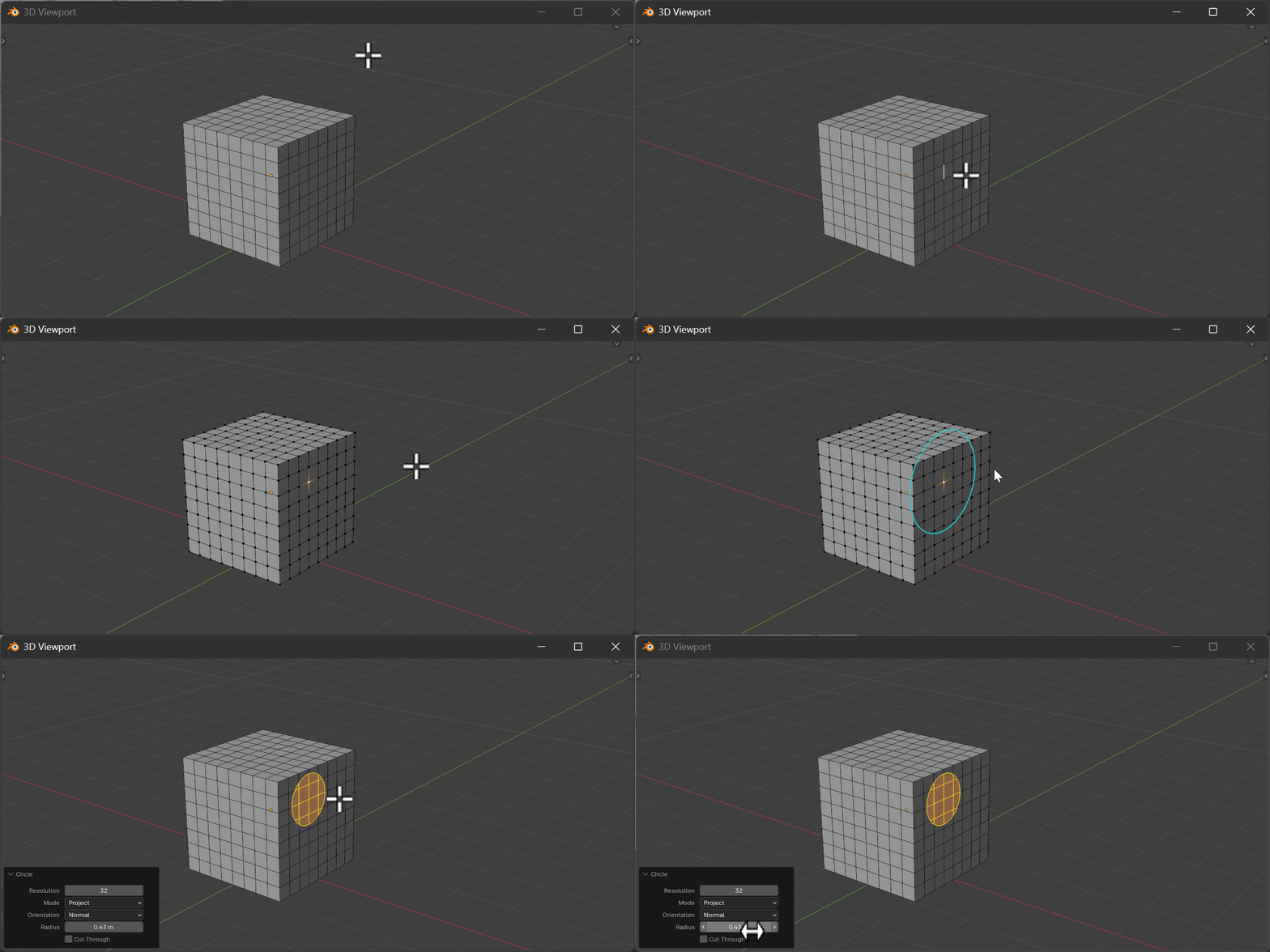
Create or project a circle through selected vertices.
Hotkeys
| Key | Action |
|---|---|
Mouse Move | Adjust radius (1-vert mode) |
LMB/Space/Enter | Confirm operation |
RMB/ESC | Cancel operation |
C | Toggle Create/Project mode |
V | Set View orientation |
N | Set Normal orientation |
R | Recalculate to current view |
Scroll Up/+ | Increase resolution |
Scroll Down/- | Decrease resolution |
Properties
Resolution
- Description: Number of vertices in the circle
- Type: Integer
- Range: 4 to 256
- Default: 32
Mode
- Description: How to create the circle geometry
- Type: Enum
- Options: PROJECT / CREATE
- Default: PROJECT
Cut Through
- Description: Cut through all faces when using Project mode
- Type: Boolean
- Default: False
Orientation Mode
- Description: How to orient the circle plane
- Type: Enum
- Options: VIEW / NORMAL
- Default: NORMAL
Stored Radius
- Description: Circle radius when using 1-vertex mode
- Type: Float
- Default: 0.1
Selection Modes
- 1-Vert Mode: Place circle at vertex with adjustable radius
- 2-Vert Mode: Create circle through both vertices as diameter
How It Works
- PROJECT mode: Uses knife projection to cut the circle into existing geometry
- CREATE mode: Creates new circle geometry
- VIEW orientation: Circle faces the current viewport
- NORMAL orientation: Circle aligns to vertex/face normal