Loop Bevel
Bevel the surface uing selected loop as starting point.
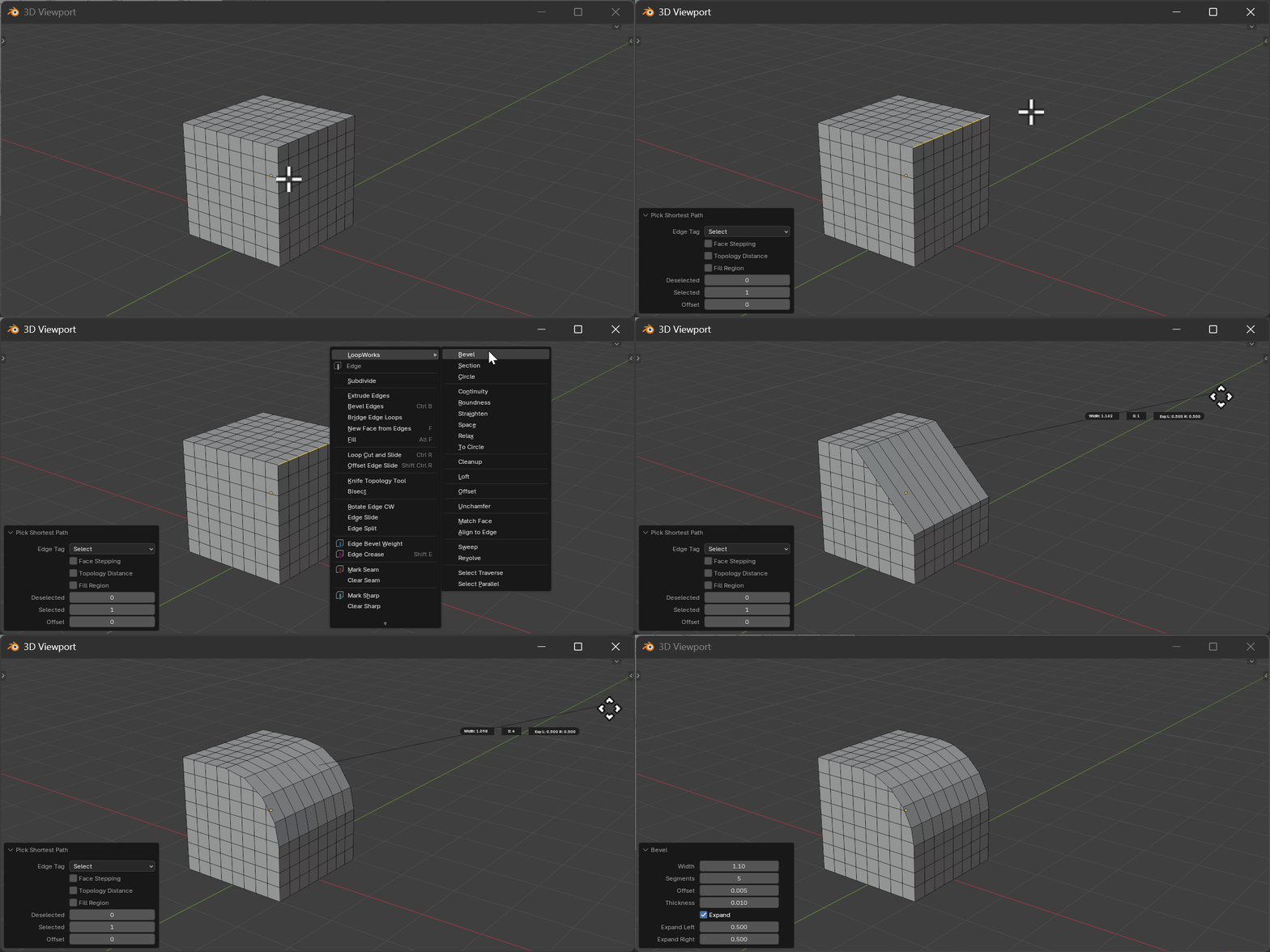
Gizmo
For non-cyclic (open) loops with Expand enabled, two yellow expand arrows appear at the loop ends after the bevel runs. Drag an arrow tip to set Expand Left / Expand Right — the tip stays locked to the visible bevel border, so the bevel extends or retracts past each endpoint as you drag. The mesh refreshes live with every drag. Arrows are hidden on cyclic loops or when Expand is off.
Hotkeys
| Key | Action |
|---|---|
Mouse Move | Adjust radius/offset |
LMB | Confirm operation |
RMB/ESC | Cancel operation |
A | Switch to offset mode |
S | Switch to segments mode |
D | Expand left mode (non-cyclic) |
F | Expand right mode (non-cyclic) |
E | Toggle expand (non-cyclic) |
Scroll Up/+ | Increase segments |
Scroll Down/- | Decrease segments |
Properties
Width
- Description: Width of the bevel
- Range: 0.0 to unlimited
- Default: 0.1
Offset
- Description: Inset distance from edge
- Range: 0.001 to unlimited
- Default: 0.005
Segments
- Description: Number of bevel segments
- Range: 1 to 50
- Default: 1
Thickness
- Description: Thickness of the bevel
- Range: 0.0 to unlimited
- Default: 0.01
Expand
- Description: Enable expand mode for non-cyclic loops
- Type: Boolean
- Default: True
Expand Left
- Description: Expand amount on the left side
- Range: 0.0 to unlimited
- Default: 0.5
Expand Right
- Description: Expand amount on the right side
- Range: 0.0 to unlimited
- Default: 0.5
How It Works
Loop Bevel creates a beveled surface along the selected edge loop:
- Analyzes the loop geometry and face normals
- Creates inset geometry at the specified offset
- Generates bevel segments between the original and inset edges
- For non-cyclic loops, expand mode extends the bevel beyond the loop endpoints