Loop Offset
Creates offset edges along their tangent directions.
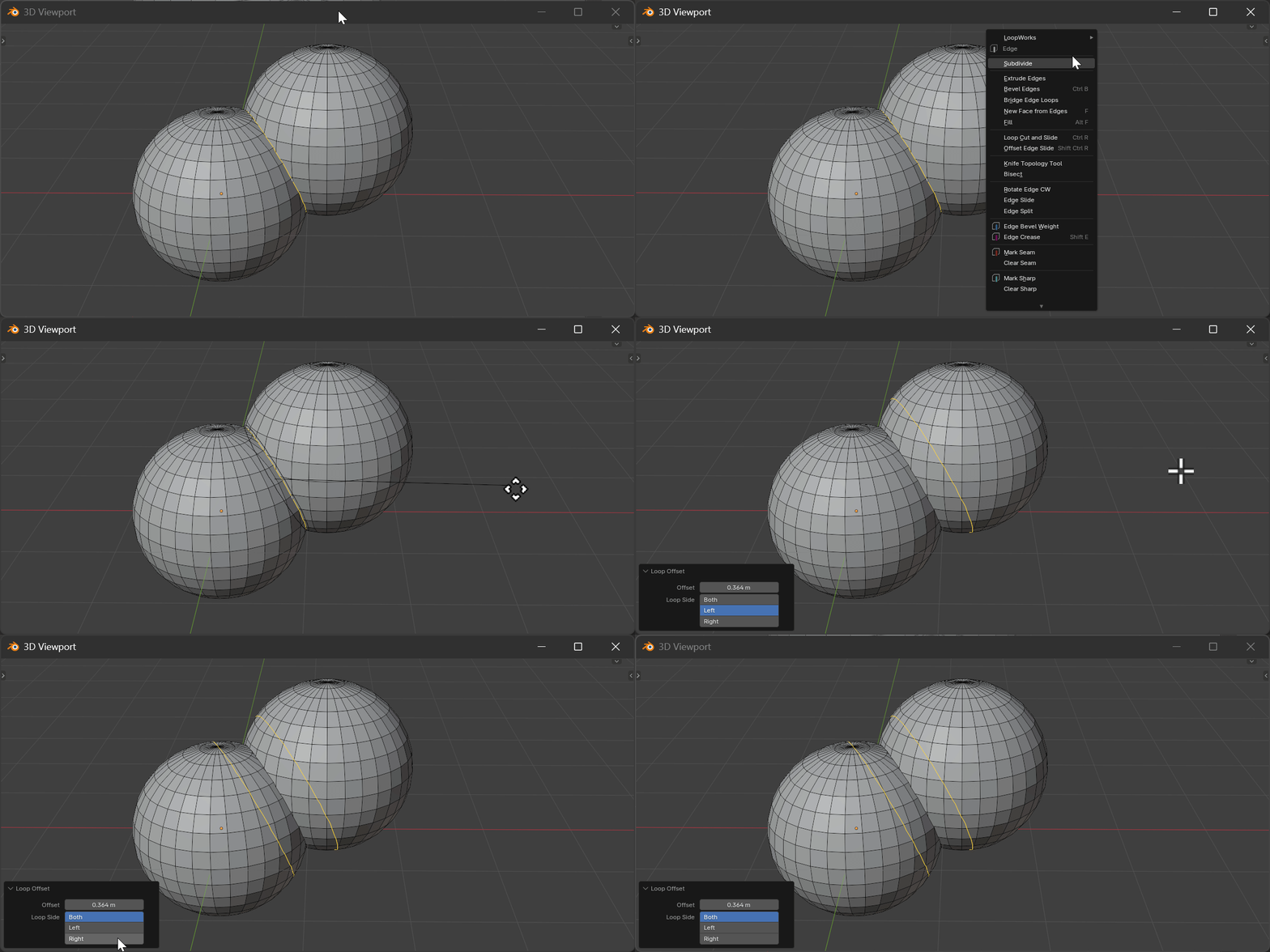
Gizmo
After the offset runs, a toggle disk sits at the center of each offset loop — labelled 1 (left) and 2 (right). Click a disk to enable or disable that side; enabled disks are blue, disabled are gray. This is the viewport equivalent of the Loop Side property. At least one side always stays on — toggling off the only active side switches to the other instead.
Hotkeys
| Key | Action |
|---|---|
Mouse Move | Adjust offset distance |
LMB | Confirm operation |
RMB/ESC | Cancel operation |
Properties
Offset
- Description: Offset distance from the original loop
- Type: Float
- Range: 0.0 to unlimited
- Default: 0.0
Loop Side
- Description: Which side(s) to create offset loops
- Type: Enum
- Options: BOTH / LEFT / RIGHT
- Default: BOTH
How It Works
Loop Offset analyzes the section planes perpendicular to the selected loop and creates new edge loops at the specified offset distance.
- BOTH: Creates loops on both sides of the original
- LEFT: Creates loop only on the left side
- RIGHT: Creates loop only on the right side