Loop Section
Create loop cut along a given edge across the mesh.
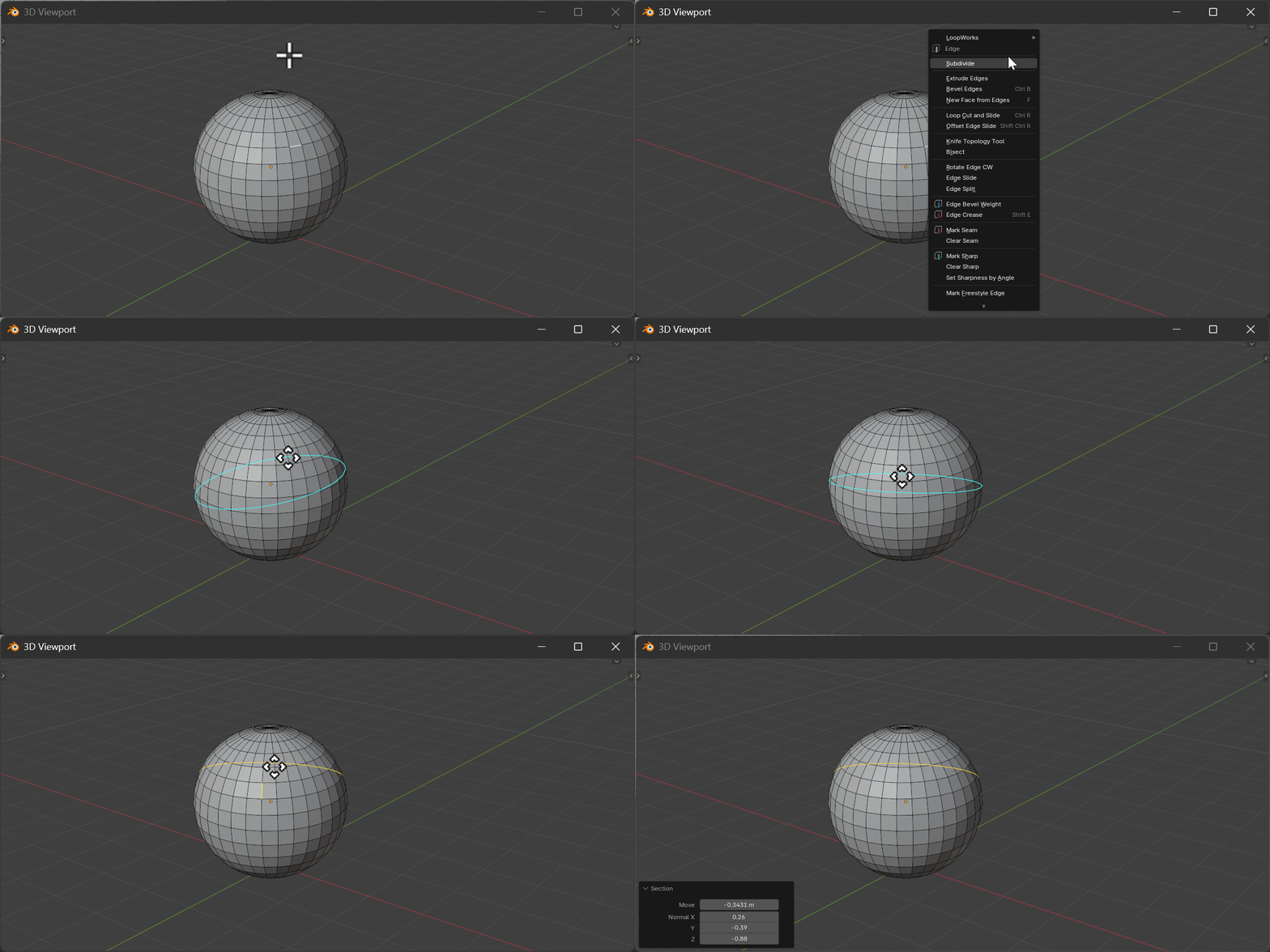
Hotkeys
Detect State
| Key | Action |
|---|---|
Mouse Move | Detect edge under cursor |
LMB | Select edge and enter move state |
Move State
| Key | Action |
|---|---|
Mouse Move | Adjust position along axis |
LMB | Confirm operation |
RMB/ESC | Cancel operation |
X | Toggle X-axis constraint (Global/Local) |
Y | Toggle Y-axis constraint (Global/Local) |
Z | Toggle Z-axis constraint (Global/Local) |
E | Switch to edge axis constraint |
Properties
Move
- Description: Offset from selected edge center
- Range: -∞ to ∞
- Default: 0.0
Plane Normal
- Description: Move vector (X, Y, Z)
- Range: -1.0 to 1.0 per axis
- Default: (0, 0, 0)
How It Works
Loop Section creates a cut through the mesh using the selected edge as reference:
- Detects the edge under the cursor in detect state
- Calculates a section plane perpendicular to the edge
- Allows interactive positioning along the constrained axis
- Cuts all intersecting faces to create a new edge loop