Pinch
Redistribute loop vertices toward a pinch point with expanding spacing.
Hotkeys
| Key | Action |
|---|---|
Mouse Move | Select pinch point / Adjust expansion |
LMB | Lock pinch point / Confirm |
RMB/ESC | Cancel operation |
F | Cycle falloff type |
E | Toggle keep ends |
Scroll | Fine-tune expansion |
Properties
Expansion
- Description: Spacing multiplier - values >1 expand spacing away from pinch point, values <1 contract
- Type: Float
- Range: 0.1 to unlimited
- Default: 1.5
Falloff
- Description: Curve controlling how spacing changes from pinch point outward
- Type: Enum
- Options:
Constant- All spacings equal (ignores expansion)Linear- Spacing changes linearlyExponential- Compound growth/decaySmooth- Smooth ease-in-out curveSharp- Quick initial change, then plateauRoot- Slow initial change, accelerates
- Default: Exponential
Keep Ends
- Description: Keep the end vertices fixed in place (for non-cyclic loops)
- Type: Boolean
- Default: True
How It Works
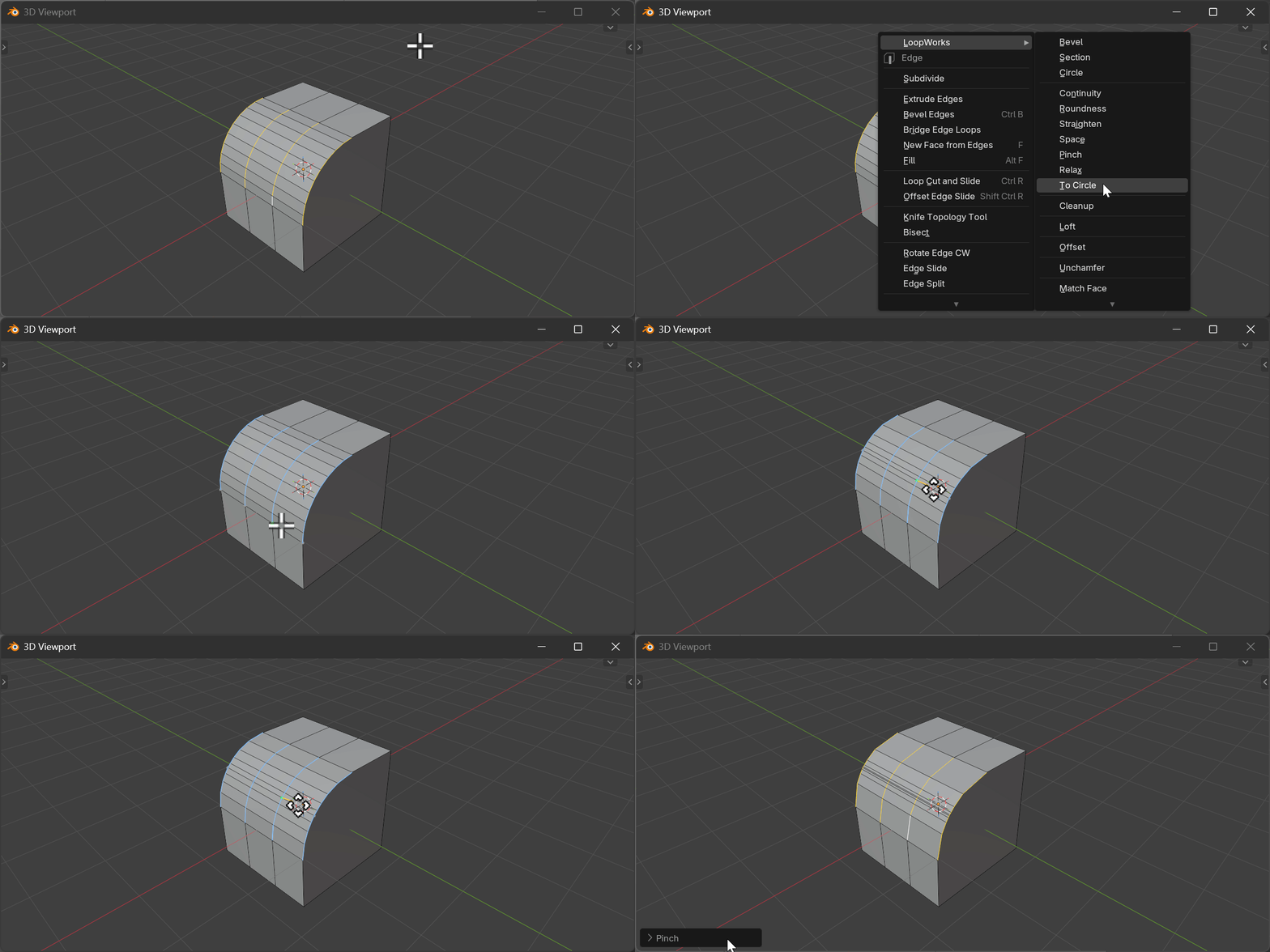
Pinch is a two-phase modal operator:
Phase 1 - Select Pinch Point
- Move mouse to highlight the closest front-facing vertex
- Green cross shows the selected pinch point
- Gray crosses show correlated points on other loops
- Click LMB to lock the pinch point
Phase 2 - Adjust Expansion
- Drag mouse to control expansion value
- Vertices redistribute in real-time
- Further from pinch point = more expansion
- Use F and E hotkeys to change options
Multi-Loop Support
- Works on multiple parallel loops simultaneously
- All loops must have the same vertex count
- Automatically correlates pinch points across loops accounting for winding direction
- Pinch point can be picked from any visible loop