Resample
Change the number of vertices on selected edge loops while preserving their shape.
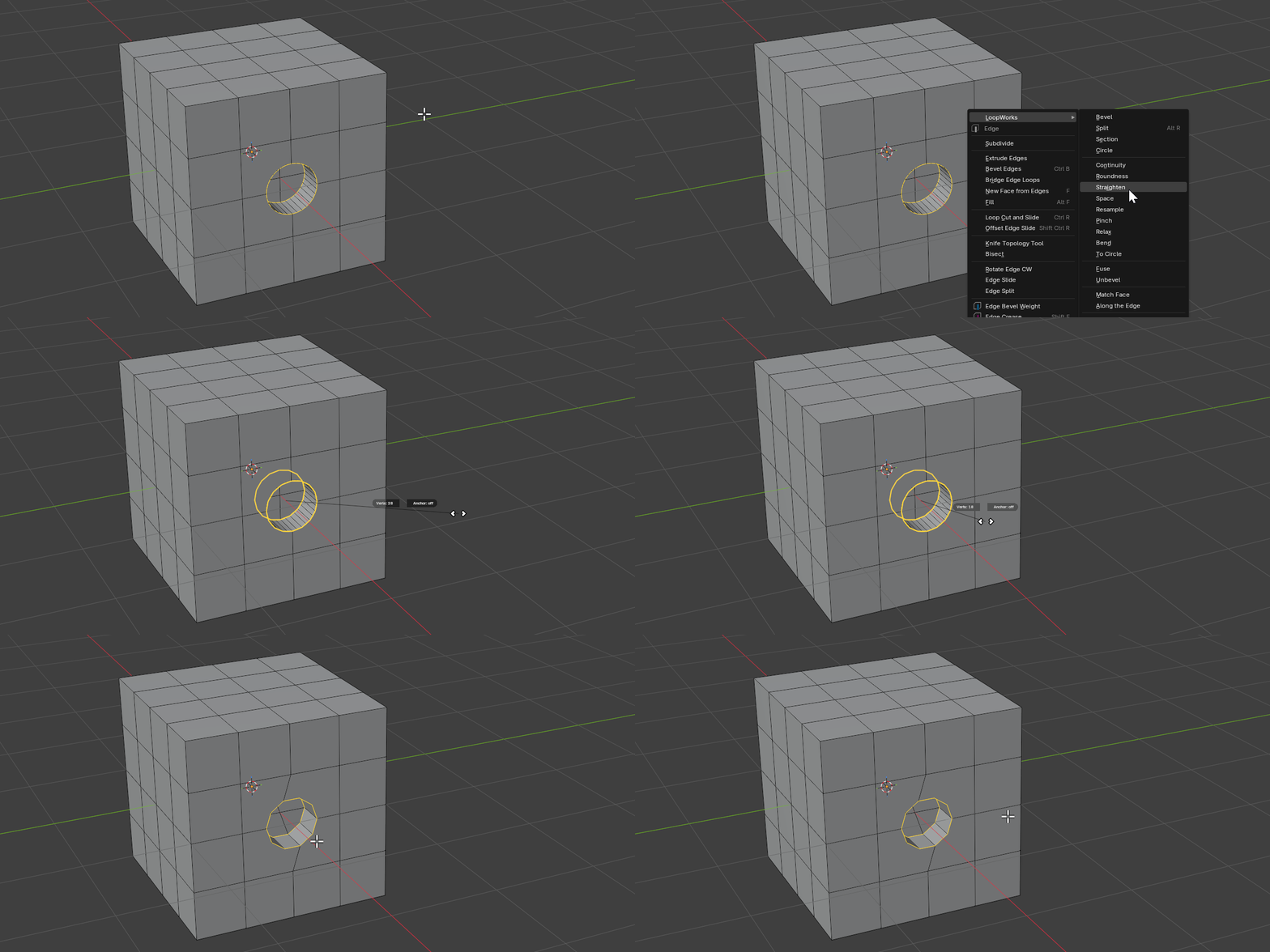
Resample is a modal tool. Drag horizontally to set how many vertices each selected loop should have; the loop keeps its silhouette while the vertices are redistributed.
Hotkeys
| Key | Action |
|---|---|
Mouse Move | Drag horizontally to adjust the vertex count |
LMB/Enter | Confirm operation |
RMB/ESC | Cancel operation |
Scroll Up/Down | Step the count by ±1 |
Ctrl (hold) | Snap the count to fixed steps |
A | Toggle Anchor mode |
Properties
Vertices
- Description: Target vertex count for each resampled loop
- Type: Integer
- Range: 2 to 512
- Default: 8
Anchor
- Description: Keep the original vertices in place and put new ones on the old polyline (linear interpolation). When off, the loop is resampled smoothly along a fitted curve/circle.
- Type: Boolean
- Default: False
How It Works
Resample measures each selected loop and rebuilds it with the requested number of vertices:
- Smooth (default): vertices are placed along a curve fitted to the loop, so the shape stays clean even when changing the count dramatically
- Anchor: the original vertices are kept and new vertices are inserted directly on the existing edges (linear), useful when you need the source points to stay exactly where they are
- Multiple loops can be resampled at once; connected loops of matching size are aligned so they resample consistently