Split
Split the mesh along bisect planes derived from a hovered edge.
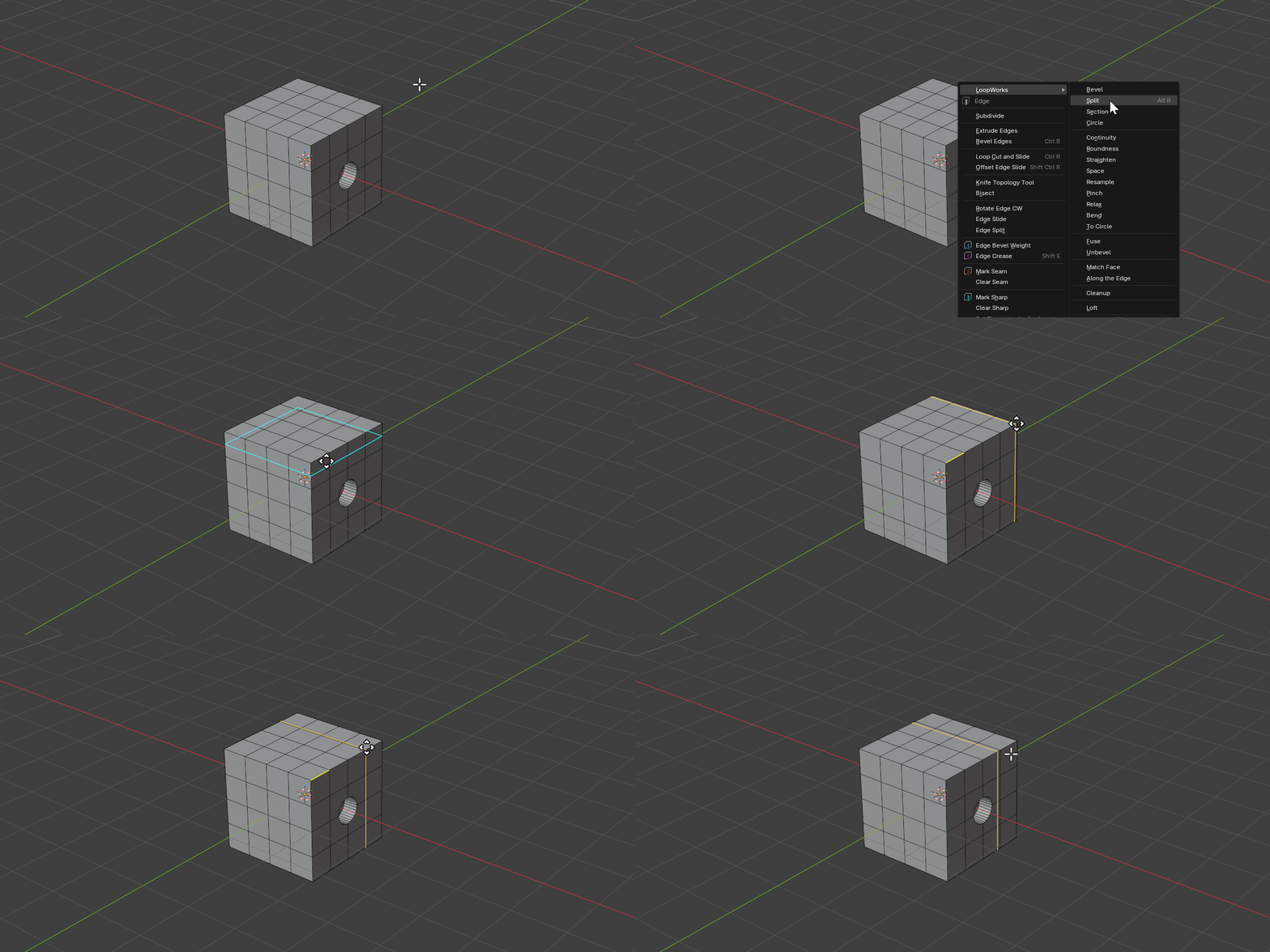
Split is a modal tool. Hover an edge to define a bisector plane through its midpoint (perpendicular to the edge), lock the seed, then slide the plane along its normal to position the cut. You can also lay down several evenly spaced cuts at once.
Hotkeys
Detect State
| Key | Action |
|---|---|
Mouse Move | Hover an edge to seed the bisector plane |
Scroll Up/Down | Increase / decrease the number of cuts |
0–9 | Type an exact cut count |
LMB | Lock the seed edge and enter Move state |
RMB/ESC | Cancel operation |
Move State
| Key | Action |
|---|---|
Mouse Move | Slide the cut along the edge axis |
LMB | Confirm operation |
RMB/ESC | Cancel operation |
Ctrl (hold) | Toggle snapping |
0–9 | Type an exact slide distance |
X / Y / Z | Constrain to a global axis — press again for Local |
E | Constrain to the seed edge axis |
Properties
Cuts
- Description: Number of parallel cuts evenly distributed along the seed edge
- Type: Integer
- Range: 1 to 100
- Default: 1
Move
- Description: Offset applied uniformly to every cut along the edge axis
- Type: Float (distance)
- Default: 0.0
Normal
- Description: Move vector for the cut plane (X, Y, Z)
- Range: -1.0 to 1.0 per axis
- Default: (0, 0, 0)
How It Works
- Hovering an edge builds a bisector plane through the edge midpoint, perpendicular to the edge direction
- With more than one cut, the planes are spread evenly along the seed edge
LMBlocks the seed; the plane can then slide along its normal to fine-tune placement- Axis keys (
X/Y/Z/E) constrain the slide direction - On confirm, the mesh is bisected along every plane, creating new edge loops
Tip: Hide geometry you don’t want to affect — Split only cuts the visible faces.